Circuit Viewer
The Circuit Viewer extension enables you to visualize quantum circuit files directly in the QDE. This integrated viewer provides immediate visual feedback for your quantum circuit designs, eliminating the need to switch between tools during development.
Using Circuit Viewer
The Circuit Viewer automatically activates when you open files with .circuit.json or .circuits extensions in VS Code Web
Key Features
- Automatic Preview: Circuit files render automatically when opened in the editor
- Interactive Visualization: Navigate complex quantum circuits with expand/collapse controls
- Seamless Integration: Works directly with circuits exported from Circuit Designer
Viewing Quantum Circuits
When you open a circuit file in the QDE, the extension automatically renders the circuit visualization in the editor pane. The viewer displays quantum gates, qubits, and their connections in a clear, readable format.
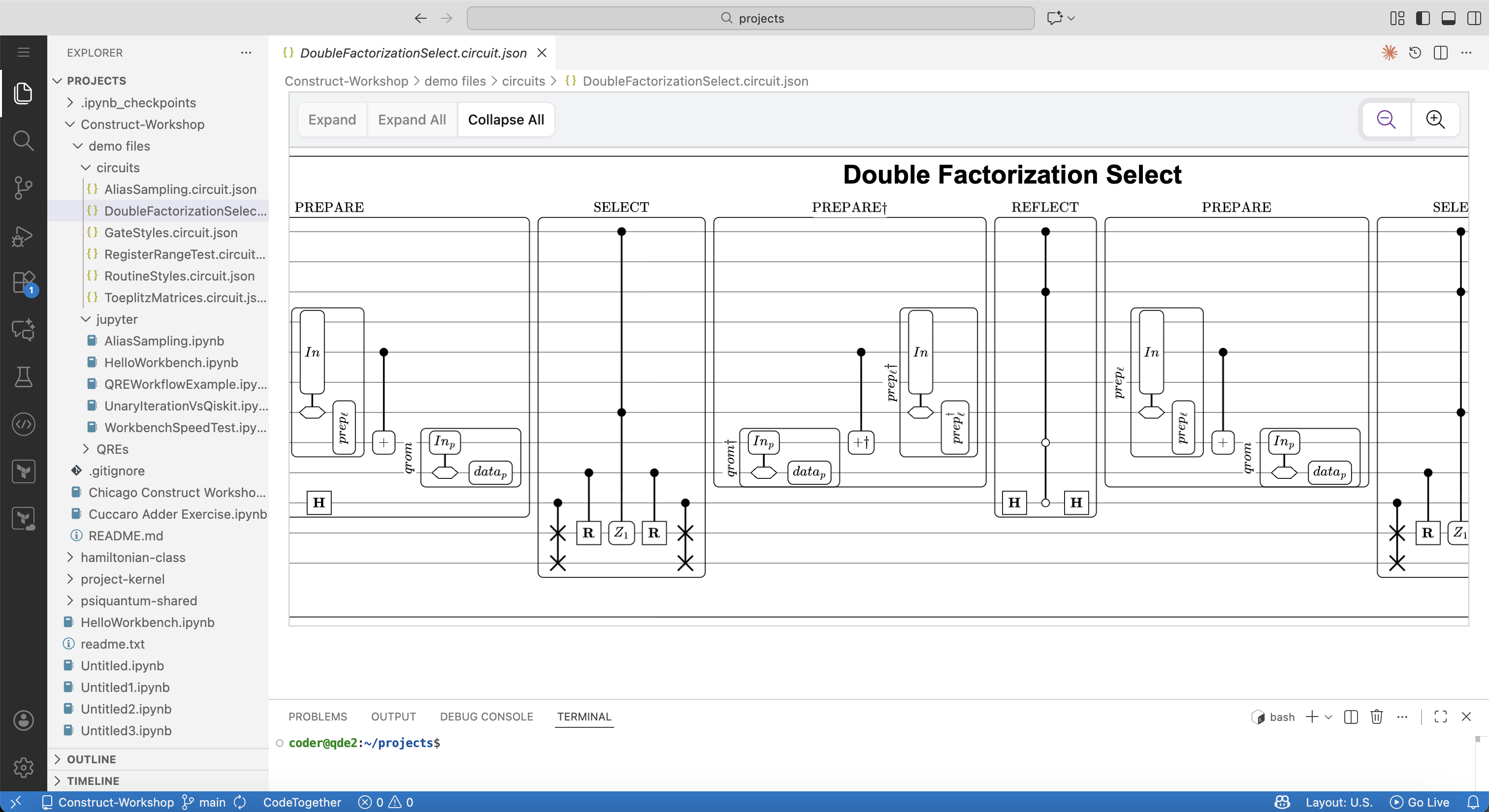 Circuit Viewer displaying a Double Factorization Select quantum circuit with preparation, selection, and reflection stages
Viewing within a Jupyter Notebook code cells
You can view .circuit files directly with a .ipynb code cell. Simply call the Circuit() function from construct-tools. Make sure the file is saved within Construct.
Integration with Construct
The Circuit Viewer works seamlessly with circuits created in Circuit Designer. Save your circuits from Circuit Designer in your project, then open them in the QDE for reference.
For complete circuit design capabilities and documentation, visit the Circuit Designer.