Projects
Projects are the foundational organizational structure in Construct. Each project serves as a container for your quantum computing work, including circuits, analyses, and related files.
Creating a Project
To create a new project:
- Click Create Project in the top right of the Projects section
- In the Create Project dialog, enter your project details:
- Project Name: Enter a name using letters, numbers, periods (.) and hyphens (-)
- Description: (Optional) Add a brief description of your project
- Add demo files to repo: Select if you want the PsiQuantum demo files to be included in the Projects Git repository
- Click Create
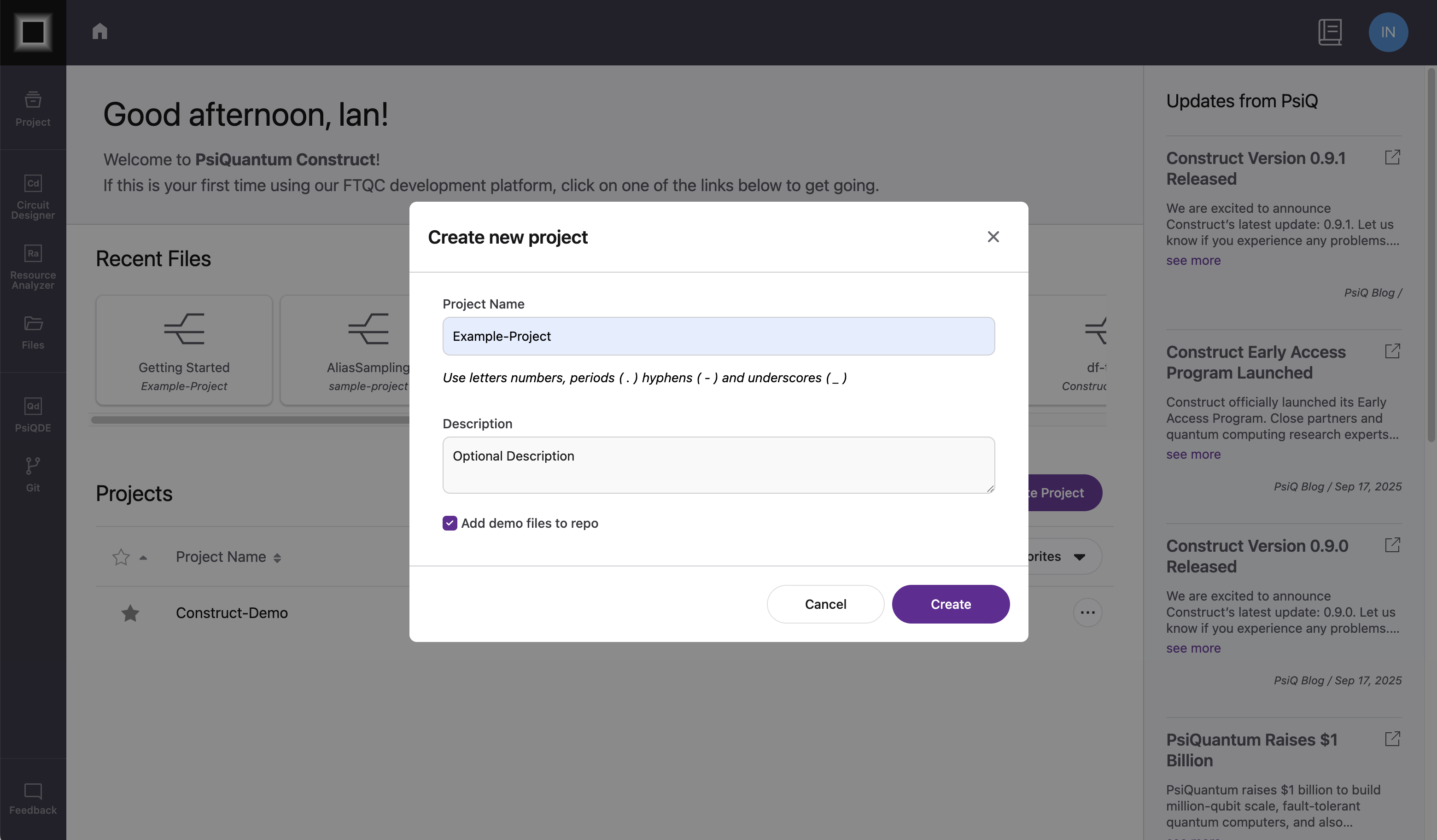 The project creation dialog
Project Dashboard
When you open a project, you'll see:
- Project title and description
- Clone Repo: Click to copy the project's clone repository link
- Project Settings: Edit the project's name, description, and more
- Design: Contains circuit creation tools such as Circuit Designer
- Develop: Contains section with tools such as Resource Analyzer
- Project Announcements: Lists all recent updates and announcements
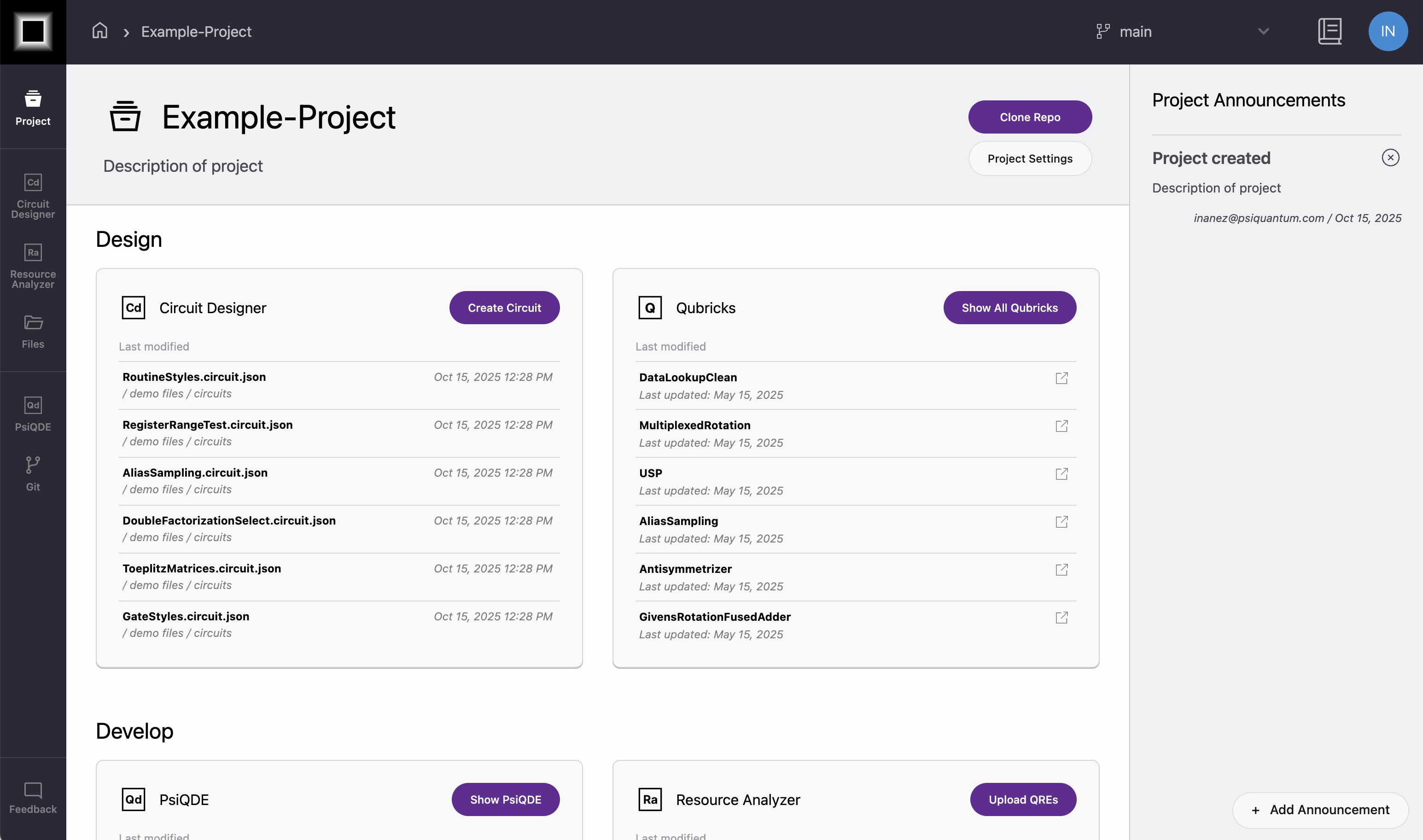 The project dashboard showing design and develop sections
Managing Projects
Project Announcements
Use announcements to share important updates with project members:
- Click Add Announcement in the project dashboard
- Enter a title, announcement, and a link to their associated fields
- Click Save to post the announcement
Editing Project Details
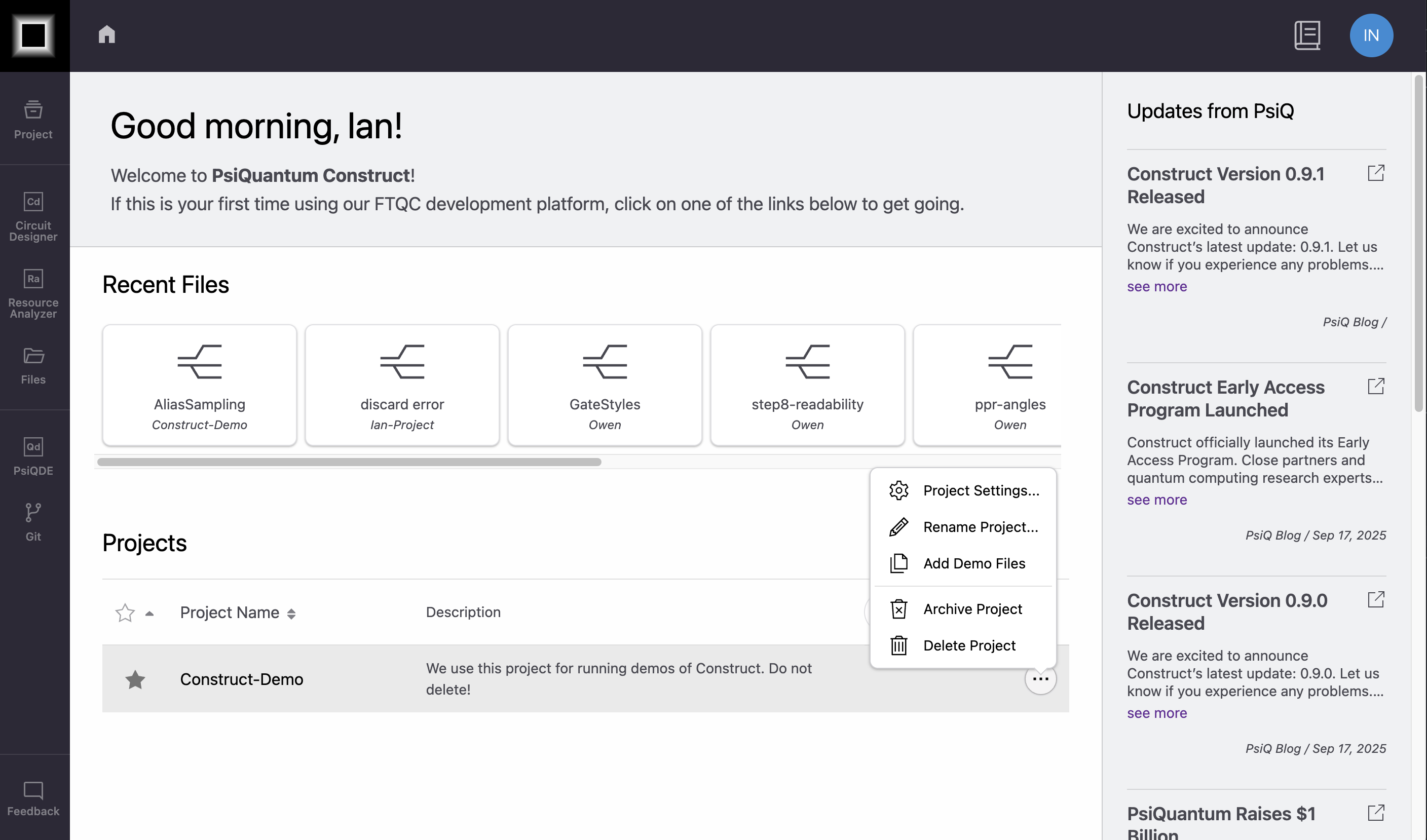 Update project settings from the Construct Landing Page
- Navigate to the Construct Landing Page ⧉
- Find your project in the project list
- Click the ... actions
- Project Settings: Change the project Description
- Rename Project: Change the project name
- Add Demo Files: Add/update demo files to the project's git repo
- Archive Project: Temporarily remove the project. Archived projects can be un-archived.
- Delete Project: Permanently remove the project and delete all data. Deleted projects cannot be restored.
Project Access
Currently, all members of an organization have read and write access to all projects owned by that organization.
Access Control
If you need to restrict project access to specific team members, please reach out to us at construct-support@psiquantum.com.
Related Documentation
- File Browser - Managing files within projects
- Sharing - Collaborating with team members
- Git Integration - Using Git with projects in Developer Mode