Sharing and Export
Resource Analyzer provides multiple options for saving, sharing, and exporting your analysis results.
Exporting Images of the Visualization Area
Images of the visualization area can be saved with the download button or the QRE menu:
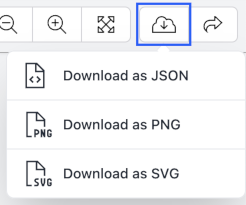
- The current view of the visualization area will be downloaded
- Download options include PNG and SVG image formats.
How to share a Resource Analyzer visualization via GitHub
Github is the preferred way to share Resource Analyzer diagrams. To share via a public github repository, follow the following steps:
- Create a QRE file using Workbench - learn more
- Add your QRE file to your GitHub repository
- Navigate to your file on github.com ⧉ and copy its URL
- Navigate to Resource Analyzer homepage ⧉
- Click Open From URL, paste the Github URL into the field, and click OK
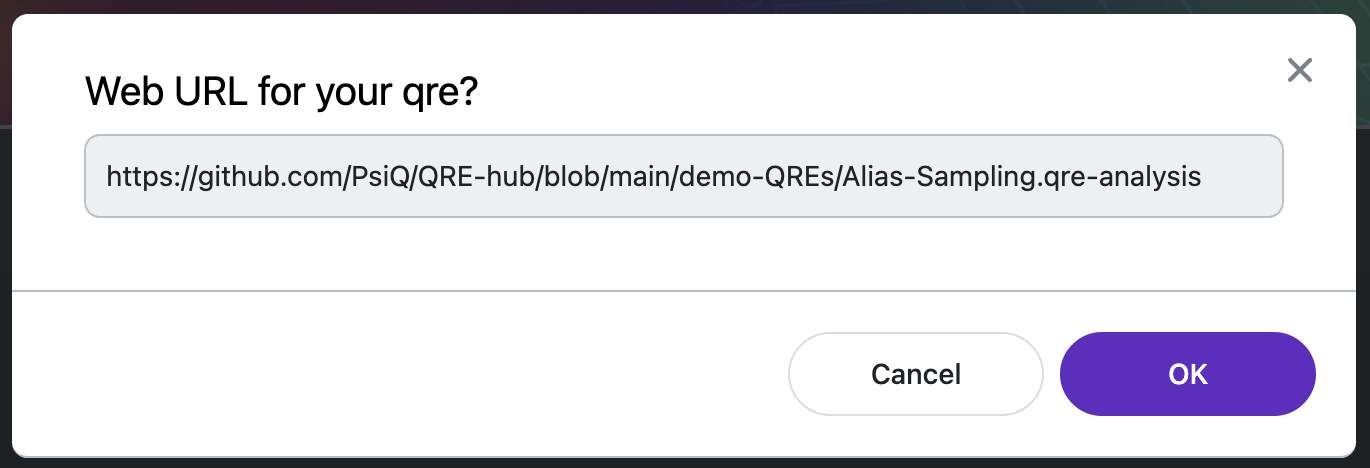
- Copy and share the URL of the file opened in Resource Analyzer.
Download the QRE file (.qre-analysis)
Download the QRE file using the the QRE menu or Download options. This will save a local copy of the QRE file that you are visualizing.