Circuit Designer Viewer
The Circuit Viewer enables you to visualize quantum circuit files in VS Code or a Jupyter notebook. This integrated viewer provides immediate visual feedback for your quantum circuit designs, eliminating the need to switch between tools during development.
Using Circuit Viewer
Use the VS Code extension for .circuit files, or use the Circuit widget from psiqdk.visualize in a Jupyter notebook.
Key Features
- Interactive Visualization: Navigate complex quantum circuits with expand/collapse controls.
- Seamless Integration: Works directly with circuits exported from Circuit Designer.
- Automatic Preview: Circuit files render automatically when opened in VS Code.
Generating a .circuit file
.circuit files can be generated manually using Circuit Designer ⧉ or programitcally using workbench. see the Workbench documentation for details. Use the export() function in the circuit_designer integration. Note that you do not need to append the .circuit file type
# Export diagram from Workbench
from psiqdk.workbench import QPU
from psiqdk.workbench.integrations import circuit_designer

qpu = QPU(num_qubits = 10)

...

circuit_designer.export(qpu, "path/to/file")
View a .circuit file
You can use the Circuit object to view any .circuit file directly within in a Jupyter notebook, import the Circuit widget and pass a local file path or remote URL.
Circuit has these inputs, data and src. Only specify one:
- data: Renders the Circuit Diagram from the text of the .circuit file directly as a string
- src: Renders the Circuit Diagram from either a file path or a web url.
from psiqdk.visualize import Circuit

# Display a circuit from a local file
Circuit(src="path/to/file.circuit")

# Display a circuit from a URL
Circuit(src="https://github.com/PsiQ/circuit-hub/blob/main/demo-circuits/alias-sampling.circuit")
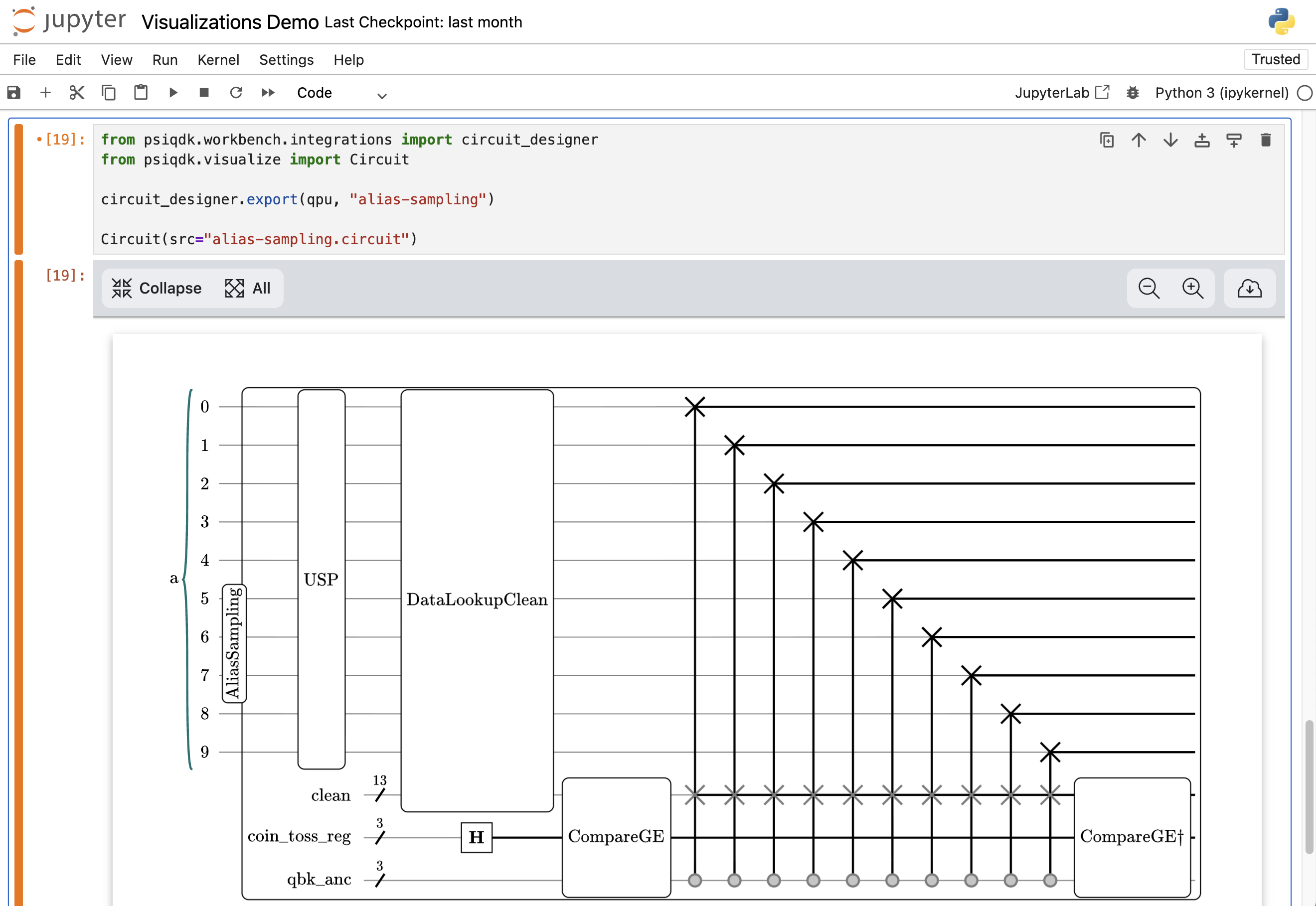
You can also display a circuit directly with a single command:
# Export diagram from Workbench
from psiqdk.workbench import QPU
from psiqdk.workbench.integrations import circuit_designer

qpu = QPU(num_qubits = 10)

...

circuit_designer.draw(qpu)
Next Steps
- Resource Analyzer Viewer — View QRE files in VS Code and Jupyter
- Circuit Designer ⧉ — Learn about Circuit Designer and how it can be used to create compelling circuit diagrams